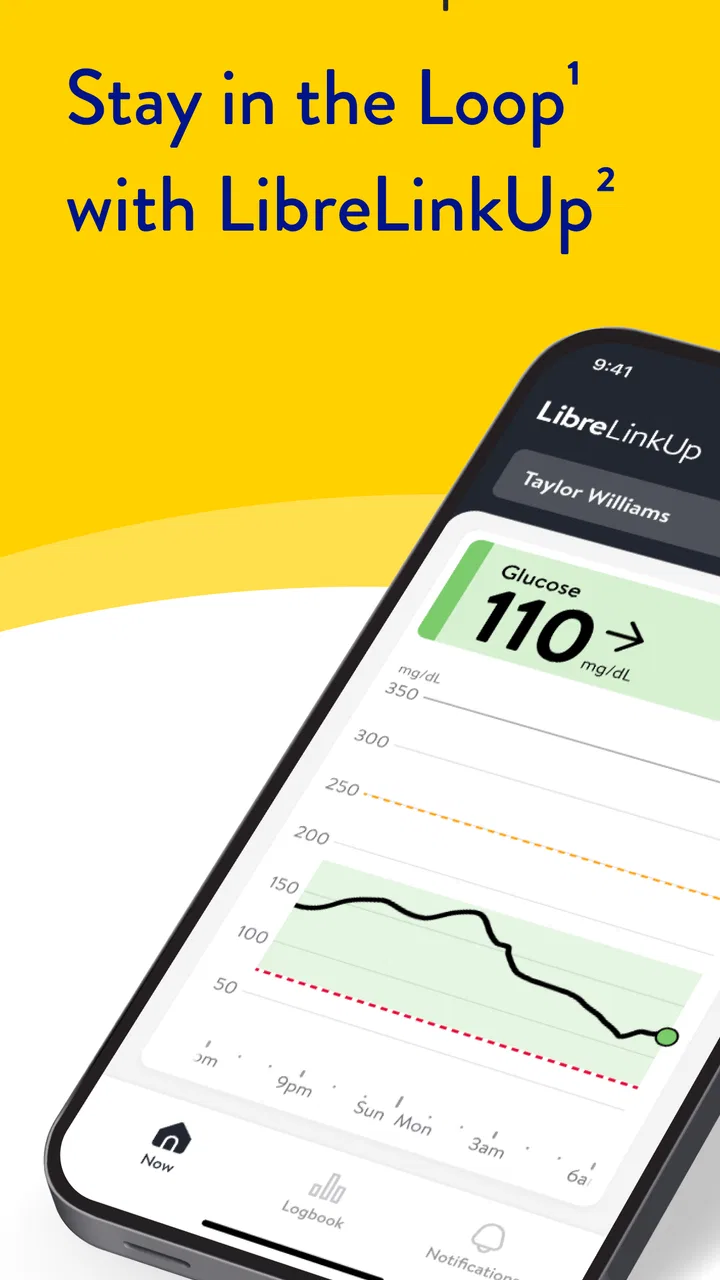
LibreLinkUp
- 4.1
- Rating
- 1.00M
- Installs
- Free
- Price

 Analysis by App-foxy
Staying informed about someone else’s glucose can be emotionally difficult as well as practically important. LibreLinkUp is a medical app built around that shared responsibility: it lets caregivers receive glucose readings from loved ones remotely. I see its main value less in replacing a person’s own diabetes routine and more in creating a dependable line of awareness between the person wearing a compatible glucose sensor and the people who may need to support them.
That distinction matters. This is not an app I would choose simply to explore glucose information out of curiosity, and it is not a substitute for clinical advice or an individual treatment plan. Its usefulness depends on a connected setup, sensible notification habits, and clear agreement between the person sharing readings and the caregiver receiving them. When those pieces are in place, the app can reduce the need for repeated phone calls and make distance feel more manageable.
How connected monitoring changes everyday caregiving
In my experience, the strongest part of the app is the way it turns glucose awareness into a shared routine. A parent can check in while a child is away, a partner can remain aware during a work shift, or a relative can offer support without asking for a reading every few minutes. That quiet background connection can be reassuring, especially when the person managing diabetes wants independence but still benefits from another set of eyes.
You May Also Like

 Blood Strike: 2.5 Anniversary
Blood Strike’s Loadouts Turn Every Drop Into a Tactical Gamble
A close look at Blood Strike’s custom loadouts: how fast access to signature weapons reshapes its battle royale rhythm, rewards preparation, and narrows the gap between fights.

 Pandora - Music & Podcasts
Pandora’s Music Is Easy to Start, but Harder to Recover
Pandora’s strength is its low-effort path from a seed to a station. Its weak spot is how much confidence it asks you to place in connection, setup, and quiet recovery.

 8 Ball Pool
 Is Built on Rivalries, Rematches, and Routine
A close look at the rivalries, rematches, shared routines, and unanswered safety questions that turn a quick pool match into a persistent mobile community.

 Samsung Music
’s Quiet Strength Is Playing What You Already Own
Its reach comes less from spectacle than from dependable access to a personal library. That simplicity is both the app’s strongest retention engine and its ceiling.

 AccuWeather: Weather Radar
AccuWeather Review: A Quick, Clear Forecast for Everyday Decisions
For everyday plans, the best forecast is the one you can understand quickly. AccuWeather makes rain timing, radar, and local conditions easy to act on, with a few trade-offs.

 Hill Climb Racing
Why Hill Climb Racing Still Turns Crashes Into One More Run
A tiny car, a bumpy hill and one more upgrade: Hill Climb Racing keeps resurfacing because its simple chaos makes every near-miss feel personal.
More From Our News Desk
View All News


The connection is also a responsibility. A remote reading is useful only when everyone understands what it means and what it does not mean. I would discuss in advance who is watching, which situations deserve a call, and what should happen if the app stops updating. Without that conversation, a caregiver may assume that silence means everything is fine, while the wearer may assume someone else has noticed a problem.
This is why I would treat the app as one part of a care arrangement rather than the entire arrangement. It can support awareness, but it should not become the only emergency plan. Medical decisions should follow the person’s established guidance from their healthcare team, and urgent concerns deserve appropriate medical help rather than a long exchange of messages inside an app.
What the remote view is genuinely good at
The remote format is particularly useful when the caregiver and wearer are in different places for long periods. A caregiver does not need to interrupt the wearer simply to ask for the latest information. That can be a meaningful improvement over manual updates, especially when repeated questions feel intrusive or when the person with diabetes is trying to focus on school, work, travel, or sleep.
It also changes how conversations begin. Instead of starting with “What is your glucose?” a caregiver may be able to ask a more useful question about how the person feels or whether they need help. The app does not remove the need for communication, but it can make that communication less repetitive and more focused.
There is a subtle trade-off here: increased visibility can also create pressure. Some families may find themselves checking too often or reacting to every change. I recommend agreeing on reasonable check-in habits before using the app heavily. Remote access should provide support, not turn into constant supervision.
Network-dependent moments deserve attention
Because the experience is built around remote sharing, connectivity is central. The caregiver’s phone needs to be able to receive current information, and the broader setup must successfully pass readings from the wearer’s sensor to the people who have permission to view them. A weak or interrupted connection can therefore affect the timeliness of what the caregiver sees.
This is easy to overlook during calm periods. The app may feel effortless at home, then become less predictable when someone moves through areas with unreliable mobile service, changes networks, or leaves the phone somewhere inconvenient. I would not wait for a stressful moment to discover how the family handles a missed update. Test the routine in the places where the wearer actually spends time.
A practical approach is to separate three questions: Is the sensor still being used correctly? Is the wearer’s phone connected as expected? Can the caregiver’s phone receive the shared information? Thinking through those stages helps identify whether the issue is with sensing, transmission, or viewing. It also prevents the caregiver from assuming that a quiet screen automatically explains the problem.
For a family using the app during school or work hours, the best routine may be a quick check before leaving home and another check after reaching the destination. That is not a promise that every reading will appear instantly in every situation; it is simply a sensible way to make connectivity part of the daily plan rather than an invisible assumption.
Mobile use is convenient, but it changes the caregiver’s habits
The phone-based design makes remote awareness portable. A caregiver can remain involved while commuting, shopping, or sitting in an office instead of being tied to a desktop screen. That mobility is one of the reasons I can see this app fitting naturally into family life: it follows the caregiver’s day rather than requiring a special monitoring station.
Portability can also encourage unnecessary checking. A phone is always within reach, so it is tempting to refresh repeatedly or let glucose information dominate attention. I found the healthier approach is to decide when checking is useful and to avoid treating every normal fluctuation as a crisis. The goal is informed support, not a second full-time job for the caregiver.
Phone context matters in quieter ways too. A caregiver may be driving, in a meeting, asleep, or dealing with their own emergency when information arrives. I would never assume that having the app installed means a person is actively watching at every moment. Families should identify a backup contact or another agreed method for times when the primary caregiver cannot respond.
The wearer’s privacy should remain part of the conversation. Sharing glucose information is personal, even within a family. Before creating a connection, I would make sure the wearer understands who can see the readings and feels comfortable with the arrangement. That is particularly important for teenagers and adults who want help without giving up control over their health information.
When something fails, recovery is more important than blame
Every remote monitoring arrangement needs a recovery plan. If a caregiver notices that information is no longer arriving, the first step should be calm verification rather than immediate panic. Try to contact the wearer through the family’s normal channel, confirm that they are safe, and then check the connected phones and sensor routine. This simple order keeps a technical interruption from becoming an emotional escalation.
I also recommend agreeing on a plain-language message for a lost connection. Something like “I am not seeing new readings; please confirm you are okay” is more useful than an accusation that someone has ignored the app. The distinction matters because a missing update can have several causes, and neither person may have done anything wrong.
Another useful habit is to keep the app from becoming the only record of what happened. If a reading or symptom is medically important, follow the person’s established diabetes plan and record information in the way their healthcare professional recommends. The remote view is designed to help caregivers stay aware; it should not be treated as a complete clinical history simply because it is convenient to view.
Recovery also includes knowing when to stop troubleshooting. If someone may be unwell, technical investigation is not the priority. Contact the person directly and use the appropriate emergency or medical route for the situation. No connectivity tool should encourage a caregiver to delay urgent help while trying to restore a screen.
Using the app without turning data into noise
Remote glucose information can be valuable, but more information is not automatically better information. I would start with the smallest sharing arrangement that meets the family’s real need. If one trusted caregiver is enough, adding several viewers may create confusion about who is responsible for responding. A clear role is often more useful than a large audience.
It is also worth discussing how notifications fit into daily life. A caregiver who receives every alert may become overwhelmed, while a caregiver who silences everything may miss the reason the app was installed. The right balance depends on the person’s care plan and household routine. I would review the arrangement after a week or two and adjust habits based on actual experience rather than fear.
Data-conscious use includes the physical phone as well. A caregiver should protect access to the device and avoid displaying sensitive glucose information where other people can casually see it. I would be especially careful in shared workplaces, public transport, and family settings where not everyone needs to know the wearer’s health details.
The app’s free price lowers the barrier for families who need a remote companion to their glucose-monitoring routine. It is available to an Everyone audience, which makes the presentation approachable, but the medical context still calls for mature judgment from the adults using it. An age label does not replace supervision, informed consent, or professional guidance when those are needed.
How it compares with more traditional alternatives
The usual alternative is manual sharing: the person with diabetes sends a message, makes a call, or reports readings during scheduled check-ins. That approach can work well for people who prefer direct conversation and do not need continuous remote awareness. It also makes the wearer actively choose when to share, which may feel more private and less monitored.
The weakness of manual updates is that they depend on memory, time, and willingness in the moment. A busy day can produce gaps, and a caregiver may not know whether a missing message means everything is normal or simply that the person is occupied. LibreLinkUp is more useful when reducing that uncertainty is a genuine caregiving need.
Another alternative is the wearer showing information directly from their own glucose app or device. That may be better for someone who wants to keep all health management in one place and only discuss readings during appointments or planned conversations. The caregiver-focused design here makes more sense when another person needs remote visibility without taking over the wearer’s main routine.
I would not choose this app for someone who has no trusted caregiver, does not want to share readings, or expects a remote screen to provide a complete medical decision system. It is also a poor fit for a household that cannot agree on responsibility. In those cases, a simpler private routine or a clinician-recommended alternative may be more appropriate.
Who will get the most from LibreLinkUp
I think it is best suited to families managing distance, changing schedules, or a gradual move toward greater independence. A parent supporting a child away from home is an obvious example, but the same idea can help an adult child stay connected with an older parent or a partner support someone during a demanding workday.
Consider a realistic evening: one person is at home while their partner is working late. Instead of sending repeated messages asking for readings, the caregiver can use the shared view to remain informed and contact the partner only when a conversation is actually needed. If the connection stops updating, the agreed recovery plan provides a clear next step. That is a more respectful workflow than constant checking mixed with uncertainty.
The app can also help during transitions, such as when a teenager begins spending more time away from family. The caregiver gains reassurance while the young person gains some freedom from routine questions. This only works when the arrangement is transparent. Secret monitoring would damage trust and undermine the very independence the setup is meant to support.
Newyu, Inc developed the app, which has reached over a million installs and holds a 4.6 average from around thirty-six thousand ratings. Those figures suggest that the caregiver-sharing idea has broad appeal, but they do not remove the need to judge whether the workflow suits your household. A popular app can still be the wrong choice for a family with different privacy expectations or connectivity needs.
Version, compatibility, and the practical setup decision
The current version is 4.17.0, and the app requires Android 8.0 or later. Before relying on it, I would check the phones used by both the wearer and caregiver rather than looking only at the newest device in the household. A shared system is only as practical as its least compatible or least reliable part.
Installation itself is not the end of the setup. The wearer and caregiver need to understand the sharing relationship, confirm who is expected to pay attention, and establish what to do if readings are delayed or unavailable. I would perform a short trial during an ordinary day, including a period when the two people are apart, before treating the connection as part of the care plan.
That trial should focus on behavior rather than just whether the app opens. Can the caregiver recognize current information? Does the wearer know how to report a concern directly? Does everyone know who responds first? Are there times when the caregiver cannot watch the phone? These questions reveal practical weaknesses that a successful installation screen will not.
Because the app is free, cost is unlikely to be the main deciding factor. The more important investment is attention: agreeing on boundaries, checking the setup, and avoiding overreaction to normal changes. If a household is willing to do that work, the app has a much better chance of being genuinely helpful.
My connectivity verdict
I recommend LibreLinkUp for caregivers who need remote awareness and are ready to treat connectivity as part of the care routine. Its best quality is not simply that it displays glucose information; it is that it can reduce repetitive reporting while keeping a trusted person involved from a distance. That is a meaningful improvement over relying entirely on memory and messages.
My reservations are equally practical. The experience depends on a functioning connected chain, and a caregiver can easily mistake access for constant supervision. Privacy, responsibility, and backup communication need to be discussed before the app becomes emotionally important. Anyone expecting it to replace direct contact, professional guidance, or an emergency plan should choose a different approach.
After using it as a caregiver-oriented tool, I would describe it as a focused companion rather than a complete diabetes-management solution. It is free, widely adopted, and available for Android devices running version 8.0 or later, but its real value comes from how thoughtfully people use the connection. The strongest setup is one that combines remote visibility with clear boundaries, direct communication, and a plan for when the network—or the caregiver—cannot respond.
FAQs for LibreLinkUp
01What is LibreLinkUp and how does it work?
LibreLinkUp is a mobile app designed to help users remotely monitor glucose levels of their loved ones who use the FreeStyle Libre system. By connecting to the user's FreeStyle Libre sensor, it allows real-time glucose data sharing, providing insights and alerts directly to the caregiver's smartphone.
02Is LibreLinkUp compatible with both Android and iOS devices?
Yes, LibreLinkUp is available for both Android and iOS platforms. Users can download the app from Google Play Store for Android devices and the Apple App Store for iOS devices. However, it is important to check device compatibility and system requirements before installation.
03How secure is the data shared through LibreLinkUp?
LibreLinkUp prioritizes user privacy and data security. All data shared between the FreeStyle Libre system and the LibreLinkUp app is encrypted. Users can control who accesses their glucose information, ensuring that only authorized individuals can view it. It's advisable to review the app's privacy policy for more details.
04Can multiple caregivers connect to one LibreLinkUp account?
Yes, LibreLinkUp allows multiple caregivers to connect to a single user’s account. This feature is particularly useful for families or teams of caregivers who need to monitor glucose levels. Each caregiver will need to download the app and request connection access from the primary user.
05Are there any costs associated with using LibreLinkUp?
The LibreLinkUp app itself is free to download and use. However, users need to ensure they have a compatible FreeStyle Libre system, which may involve additional costs for sensors. It's recommended to check with healthcare providers or insurance for potential coverage of the device.
Pros
- Easy to connect with multiple sensors.
- Real-time glucose monitoring updates.
- User-friendly interface for all ages.
- Secure data sharing with caregivers.
- Customizable alerts for glucose levels.
Cons
- Requires stable internet connection.
- Limited features in the free version.
- Frequent login prompts can be annoying.
- Some users report occasional sync issues.
- Battery drain on continuous use.

LibreLinkUp
Gallery